Xoom: Send Money & Transfer
- 4.8
- Rating
- 5.00M
- Installs
- Free
- Price

 Analysis by App-foxy
Sending money across borders is one of those tasks that feels simple until the moment you actually need to do it. A relative may be waiting for help, a bill may be due in another country, or you may simply want a familiar way to move funds without visiting a branch. I spent time looking at Xoom: Send Money & Transfer as a mobile finance app, and my main impression is that it is designed for people who want to start and monitor an international transfer from a phone, while accepting that the quality of the experience depends heavily on a stable connection and accurate recipient details.
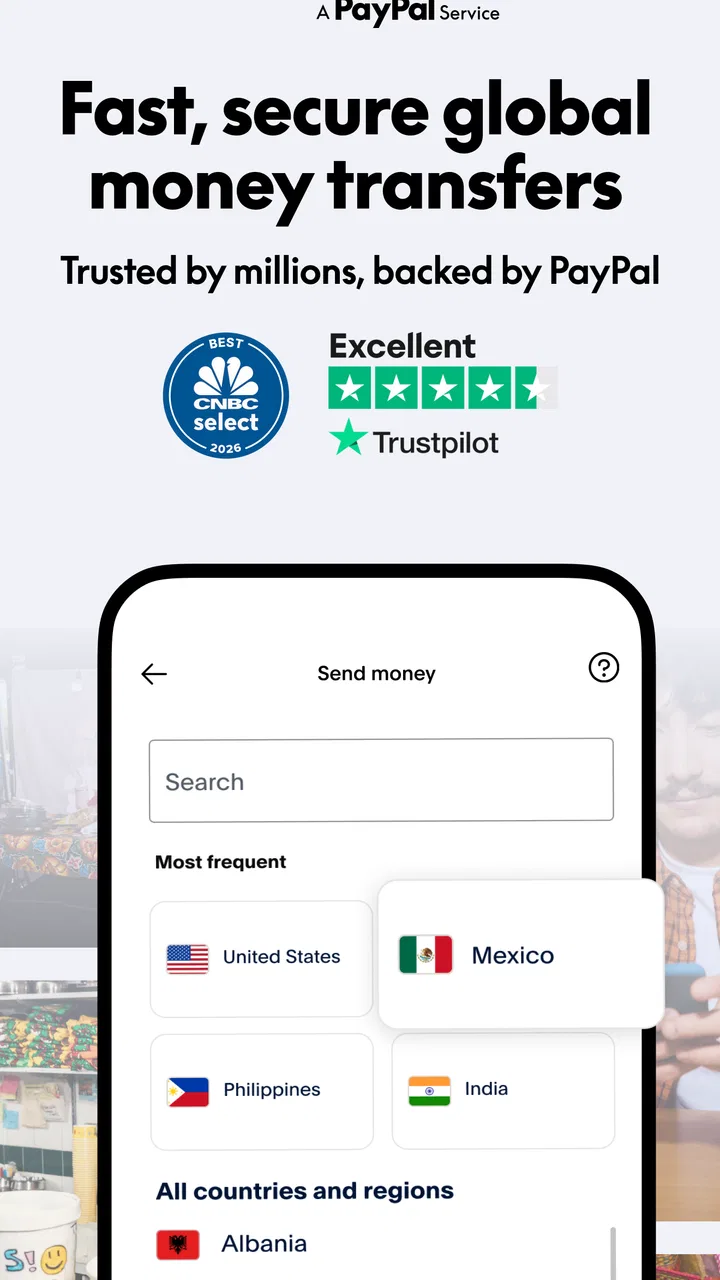
What makes the app worth considering is its focused purpose. It is not trying to be a full budgeting suite, investment dashboard, or everyday banking replacement. It comes from Xoom, a PayPal Service, and supports transfers to Mexico, India, and more than 150 countries. That broad destination range makes it especially relevant if your financial life involves family, friends, or obligations in another country.
The app is free to install, carries an Everyone age rating, and has built a substantial user base: more than five million installs, an average rating of 4.8, and roughly 360 thousand ratings. Those figures suggest that many people find the basic workflow useful, although popularity should not replace checking the details of your own transfer before confirming it.
You May Also Like

 Blood Strike: 2.5 Anniversary
Blood Strike’s Loadouts Turn Every Drop Into a Tactical Gamble
A close look at Blood Strike’s custom loadouts: how fast access to signature weapons reshapes its battle royale rhythm, rewards preparation, and narrows the gap between fights.

 Pandora - Music & Podcasts
Pandora’s Music Is Easy to Start, but Harder to Recover
Pandora’s strength is its low-effort path from a seed to a station. Its weak spot is how much confidence it asks you to place in connection, setup, and quiet recovery.

 8 Ball Pool
 Is Built on Rivalries, Rematches, and Routine
A close look at the rivalries, rematches, shared routines, and unanswered safety questions that turn a quick pool match into a persistent mobile community.

 Samsung Music
’s Quiet Strength Is Playing What You Already Own
Its reach comes less from spectacle than from dependable access to a personal library. That simplicity is both the app’s strongest retention engine and its ceiling.

 AccuWeather: Weather Radar
AccuWeather Review: A Quick, Clear Forecast for Everyday Decisions
For everyday plans, the best forecast is the one you can understand quickly. AccuWeather makes rain timing, radar, and local conditions easy to act on, with a few trade-offs.

 Hill Climb Racing
Why Hill Climb Racing Still Turns Crashes Into One More Run
A tiny car, a bumpy hill and one more upgrade: Hill Climb Racing keeps resurfacing because its simple chaos makes every near-miss feel personal.
More From Our News Desk



How Xoom feels when the network is doing the work
The first thing I noticed is that this is a connection-dependent kind of app. The important parts of the experience involve signing in, entering transfer information, checking available options, submitting the transaction, and following its progress. None of that is the sort of activity I would want to attempt while moving through a poor-signal area. A slow connection can turn a quick task into an uncertain one, especially when you are waiting to see whether a screen has refreshed or a submission has gone through.
That matters because money transfers are less forgiving than ordinary browsing. If a page takes a few extra seconds to load, that is merely annoying in a news app. In a finance app, hesitation can make you wonder whether you should tap again. My practical advice is to begin a transfer when you have a reliable Wi-Fi or mobile-data connection, then wait for clear confirmation before leaving the screen. Repeated taps are a poor response to a delayed network.
I also prefer to review the complete transfer summary before submitting anything. The destination, recipient information, amount, and delivery choice deserve a final check. A strong connection helps the app display current information consistently, but it cannot correct a spelling mistake or an incorrect recipient detail. Xoom can make the process more convenient; it does not remove the need for careful input.
One useful way to think about the app is as a remote control for a financial task rather than a magic shortcut. The phone gives you access to the process from almost anywhere, but the transfer still depends on the information you provide and the available delivery route. That distinction is easy to overlook when the interface makes the first steps feel quick.
Why mobile access is genuinely useful
The strongest use case is an everyday situation where visiting a physical location would be inconvenient. Imagine receiving a message from a family member in Mexico who needs help with a household expense. Instead of waiting until you are near a service counter, you can open the app, enter the recipient details, review the transfer, and keep an eye on its progress from your phone. That is the kind of small convenience that can matter a lot when timing is important.
The same applies to people who regularly support relatives in India or elsewhere. Keeping the process on a phone can make recurring responsibilities easier to fit around work, commuting, and family life. I find this more compelling than the idea of using the app for an occasional novelty transfer. Its value grows when international sending is a normal part of your month.
Mobile use also changes where people are likely to send money. You may be at home, in an office, at an airport, or visiting friends when the need appears. Those settings are convenient, but they also create distractions. I would avoid starting a transfer while rushing through a station or trying to multitask in a crowded place. A larger screen and a quiet moment are not requirements I can impose on the app, but they are sensible safeguards for the user.
Another practical point is privacy. A phone is personal, yet it is often used in public. If you are entering financial information in a café or on public transport, check who can see your screen and avoid discussing recipient details aloud. The app’s mobile design makes access easier, but convenience can encourage careless habits. I would treat the transfer screen with the same attention I would give a banking website.
What to do when a transfer feels stuck
Connectivity problems are the most likely source of uncertainty during use. A weak signal may prevent a page from loading, interrupt a session, or leave you unsure whether the latest status has appeared. My first response would be to stop tapping and check the connection. If possible, I would move to a stronger signal, reopen the relevant screen, and look for the current transfer state before attempting anything again.
This is where patience becomes a useful feature of the person using the app. If you submit a request and the screen pauses, immediately starting a second transfer could create confusion or an unwanted duplicate. I would record the amount and recipient I intended to use, then verify what the app shows once the connection is stable. Keeping a simple note of the transaction details is particularly helpful if you are managing several family transfers.
Recovery also depends on recognizing the difference between an input problem and a network problem. If the app repeatedly rejects recipient information, recheck the details instead of assuming the connection is at fault. If pages fail to refresh but the information you entered looks correct, connectivity is a more likely explanation. Separating those two situations saves time and reduces the temptation to change correct information unnecessarily.
I would also avoid treating a missing visual update as proof that nothing happened. Mobile interfaces can be delayed by a poor connection. The safer approach is to reconnect, return to the transfer information, and confirm the latest visible status before making a new attempt. For a finance app, this cautious workflow is more important than speed.
There is a broader limitation here: Xoom is convenient only when the surrounding conditions cooperate. If you are traveling somewhere with unreliable data, depending on a hotel network that frequently drops, or trying to send money during a rushed emergency, the app may feel less reassuring than a service with a support process you already know well. I would not make it my only plan if a transfer is critically time-sensitive and I have no dependable way to reconnect.
Using the app without wasting mobile data
For most users, the transfer itself is more important than the amount of data consumed by the app. Still, people on limited mobile plans should be deliberate. I would prepare the recipient’s information before opening the transfer flow, rather than repeatedly loading screens while searching through messages or contacts. Having the amount and destination ready reduces unnecessary back-and-forth.
A stable Wi-Fi connection is useful when you are reviewing details or checking status, but I would not use an unfamiliar public network casually for sensitive financial activity. The practical choice depends on your circumstances: trusted Wi-Fi may be more comfortable for a longer review, while a secure mobile connection can be preferable to an unknown hotspot. The key is not to confuse free connectivity with trustworthy connectivity.
It is also sensible to avoid refreshing a status screen continuously. If an update is not immediate, repeated checks rarely make it arrive faster and can use extra data. I prefer checking after a reasonable pause, especially when the app is being used over mobile data. This is a small habit, but it makes the experience calmer and more efficient.
People who send money often should pay attention to their own routine. If you usually transfer funds from the same place, choose a time when the connection is dependable and you are not distracted. If your phone regularly switches between Wi-Fi and mobile data, wait until the connection is settled before confirming a transaction. These are not glamorous tips, but they address the real friction of using a financial service on a moving device.
Where it fits among other transfer choices
Compared with visiting a traditional money-transfer counter, the app’s main advantage is control from a phone. You can begin the process without arranging a trip, which is valuable for routine support and last-minute needs. A physical location may still feel better for someone who wants face-to-face help, is uncomfortable entering information on a phone, or needs assistance understanding the available choices.
Compared with a conventional bank transfer, Xoom is more specifically built around sending money internationally. That focus can make more sense than navigating a general banking app when your main task is supporting someone abroad. On the other hand, a bank may be the better fit if you already manage all your finances there and want transfers, balances, bills, and records in one place.
Compared with other digital remittance services, the decision should come down to the destination, delivery method, total cost, timing, and the recipient’s ability to receive the money. I would never choose solely because an app is free to download. The relevant question is what the complete transfer costs and how practical the receiving option is for the person on the other side. Those details can vary by route, so review the final summary every time rather than relying on a previous transfer.
The app is also not the right choice for someone seeking a complete personal-finance system. It does not replace a bank account, a spending tracker, or a savings tool in my daily routine. Its strength is narrower and clearer: handling international money transfers from a mobile device. That narrow focus is a benefit if it matches your need, but a limitation if you expect one app to organize every part of your finances.
Who should use it, and who should pause
I would recommend considering Xoom if you regularly send money to family or friends overseas, want a mobile-first process, and are comfortable checking details carefully before confirming. It is also a sensible option for people who value being able to start a transfer from home rather than fitting a branch visit into an already busy day.
I would pause before choosing it if your connection is frequently unreliable, if you need extensive in-person guidance, or if you are not prepared to compare the final transfer terms with alternatives. Someone sending a large amount should be especially careful about the destination, recipient information, delivery route, and total cost. Convenience should not become an excuse to skip a financial review.
New users may wonder whether the app costs anything to install. It is free, but that should not be confused with every transfer being cost-free. Before submitting, inspect the amount the recipient is expected to receive and the full summary shown for your route. That is the most useful answer to the common concern about hidden surprises: do not judge the service by the download price; judge the completed transfer details.
Another natural question is whether it is suitable for occasional use. In my view, yes, provided you have the recipient’s information ready and enough time to review the process without rushing. Regular senders gain more from the mobile convenience, but an occasional user can still benefit when a physical visit is inconvenient.
People also often ask whether a high rating guarantees a smooth experience for every transfer. It does not. The app has an average rating of 4.8 from about 360 thousand ratings, which is a strong sign of broad satisfaction, but individual results still depend on the destination, the recipient’s circumstances, the information entered, and the quality of the connection at the time.
My final view after focusing on the connected experience
Xoom: Send Money & Transfer makes the most sense as a focused international remittance tool that travels with you. I like that its purpose is easy to understand: send money across borders and manage the process from a phone. Its support for Mexico, India, and over 150 countries gives it practical reach, while the backing of Xoom, a PayPal Service, may make it feel familiar to people already comfortable with that ecosystem.
My reservation is not about the idea of mobile transfers; it is about the moments when the network becomes uncertain. A delayed screen, an interrupted session, or an unclear status can create unnecessary anxiety when money is involved. The best experience comes from using a dependable connection, preparing recipient details in advance, avoiding duplicate taps, and checking the final summary with care.
The current version is 10.9.0 and the app works on operating systems starting with version 10. That makes it accessible to many modern phone users, while the Everyone rating keeps its intended audience broad. Still, technical compatibility is only one part of the decision. Your destination, preferred receiving method, connection quality, and willingness to compare the final terms matter just as much.
Overall, I would recommend Xoom: Send Money & Transfer to someone who needs a convenient way to send international support from a phone and understands that connectivity and careful verification are part of the process. I would steer a person toward a bank transfer or an in-person alternative when they need broader financial management, personal assistance, or a workflow that does not depend so much on a live mobile connection. For the right user, though, the app turns a traditionally inconvenient errand into a manageable phone task—and that is a meaningful advantage.
FAQs for Xoom: Send Money & Transfer
01What is Xoom and how does it work?
Xoom is a digital money transfer service that allows users to send money, pay bills, and reload mobile phones internationally. It works by linking your bank account or debit/credit card to the app, enabling you to transfer funds securely. The recipient can receive money directly into their bank account, for cash pick-up, or as a mobile reload.
02Is Xoom safe to use for international money transfers?
Yes, Xoom is a secure platform for international money transfers. It employs advanced encryption technology to protect user data and transactions. Additionally, Xoom is a service by PayPal, which adds another layer of trust and security through their well-established reputation in online payments.
03What are the fees associated with using Xoom?
Xoom charges fees based on the amount being sent, the destination country, and the payment method. Bank transfers typically incur lower fees compared to using a credit or debit card. It's advisable to review the fee structure on Xoom’s website or app before making a transfer to understand the total cost.
04How long does it take for the recipient to receive the money?
The delivery time for money transfers through Xoom varies depending on the destination country and payout method. Bank transfers can take a few days, while cash pickups and mobile reloads are often available within minutes. Xoom provides an estimated delivery time before you confirm your transaction.
05Can I cancel a transaction once it has been initiated?
Yes, you can cancel a transaction in Xoom, but only if it hasn’t been completed. To cancel, go to your transaction history, select the transaction, and choose the cancel option. If the transaction has already been processed or completed, you will need to contact Xoom customer support for further assistance.
Pros
- Fast international transfers.
- User-friendly interface.
- Multiple payment options.
- Competitive exchange rates.
- Real-time tracking available.
Cons
- Higher fees for small amounts.
- Limited customer support hours.
- Requires stable internet connection.
- Not available in all countries.
- Occasional app glitches reported.

Xoom: Send Money & Transfer
Gallery